8.2. Device Configuration#
Clicking the Settings button opens the configuration interface, where the user can adjust operating parameters or upgrade the device firmware.
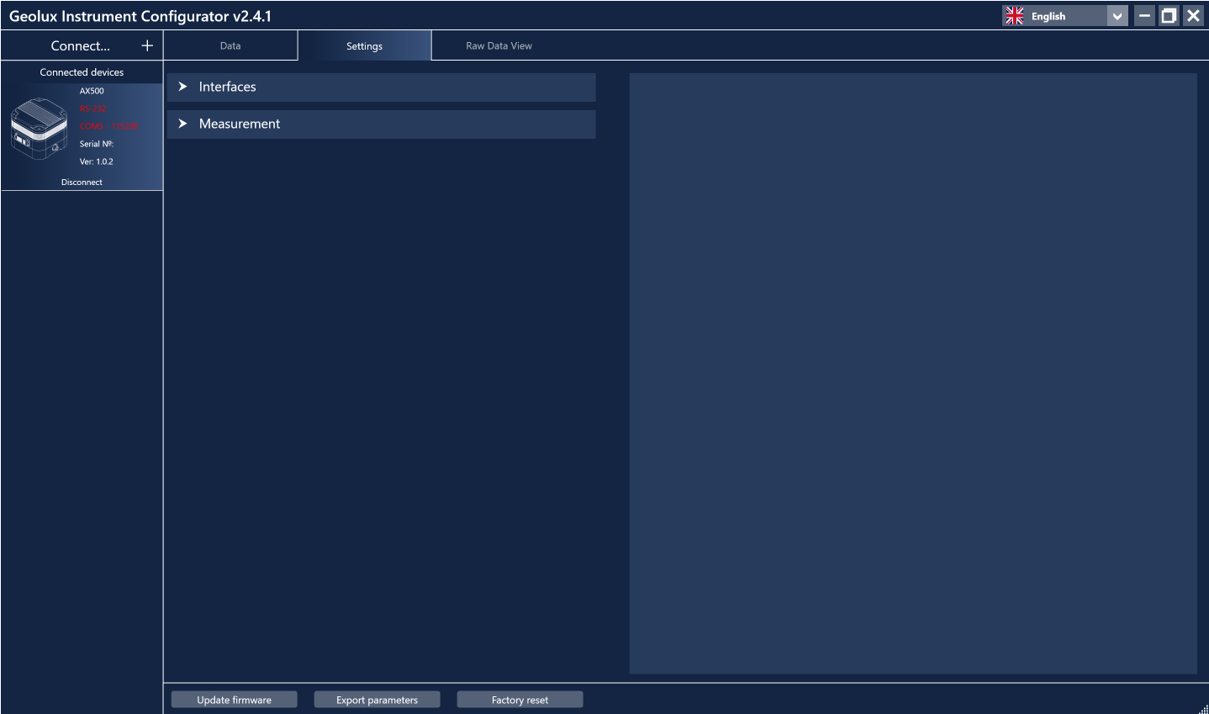
Figure 13. Settings page for AX500 air quality sensor.#
Settings are organized into three groups: Interfaces and Measurements. Selecting a group displays all associated settings. When a setting is selected or modified, a detailed description is displayed on the right side of the window. Detailed descriptions of all parameters are also given in the Chapter 6 of this User manual. After changing a parameter, a Set button appears next to the modified field. Clicking Set confirms and saves the new value to the device. If not following massage will appear:
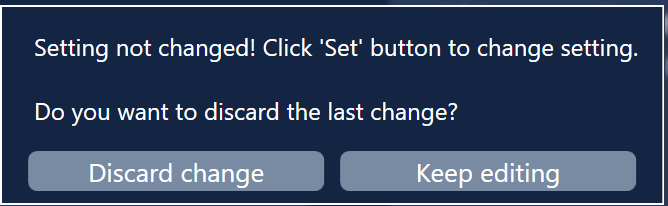
Figure 14. Setting not changed#
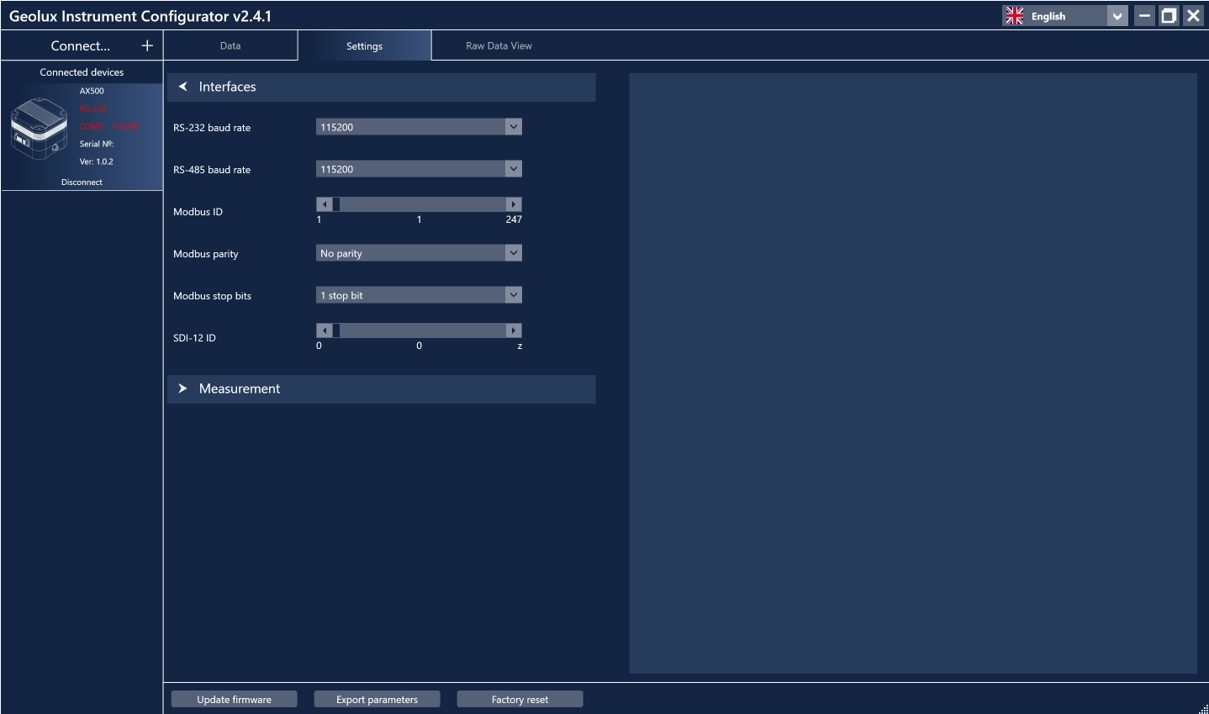
Figure 15. Interface settings#
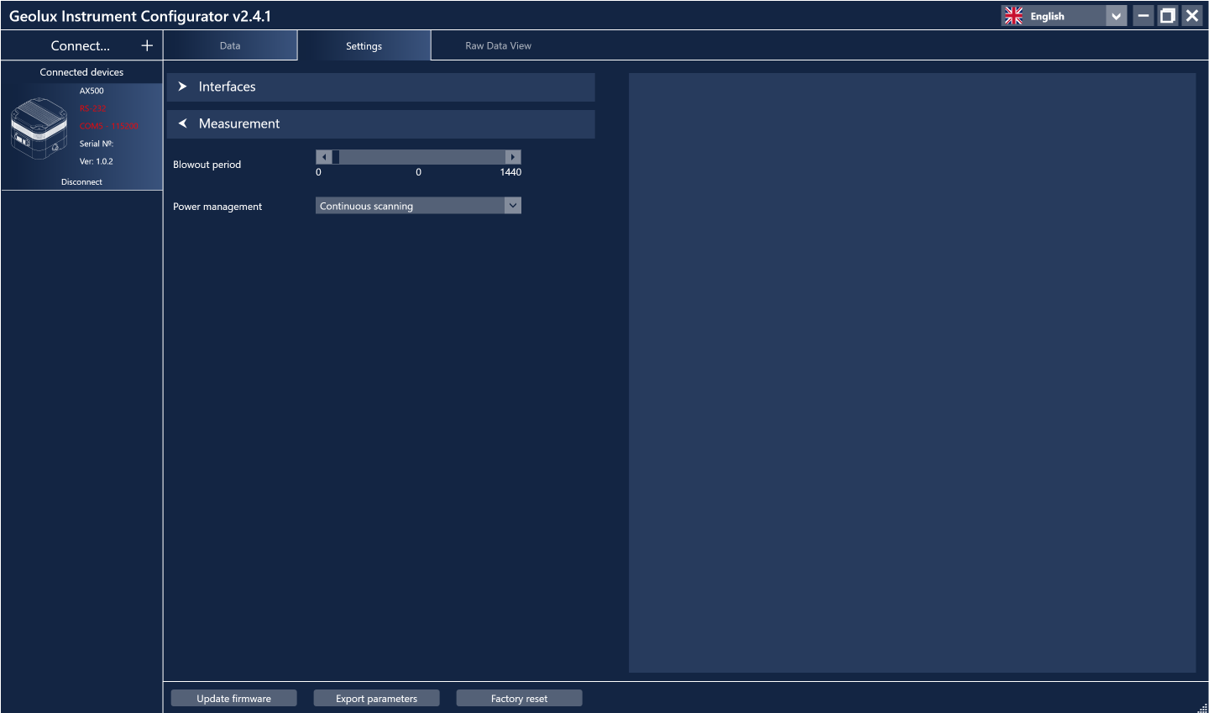
Figure 16. Measurement settings#
Additional functions available in the Settings tab include:
Update firmware – Updates the device firmware to a newer version.
Export parameters – Saves all device parameters to a text file for review.
Reset DFP – Clears all accumulated DFP history data.
Factory reset – Restores all parameters to their default values.