2.1. Serial RS-232 Interface#
The instrument includes a standard full-duplex RS-232 serial interface. The voltage levels are fully compliant with the RS-232 standard and allow direct connection to a PC or other embedded devices that support RS-232 communication.
When connecting the instrument to a standard DB-9 PC connector, use the following wiring:
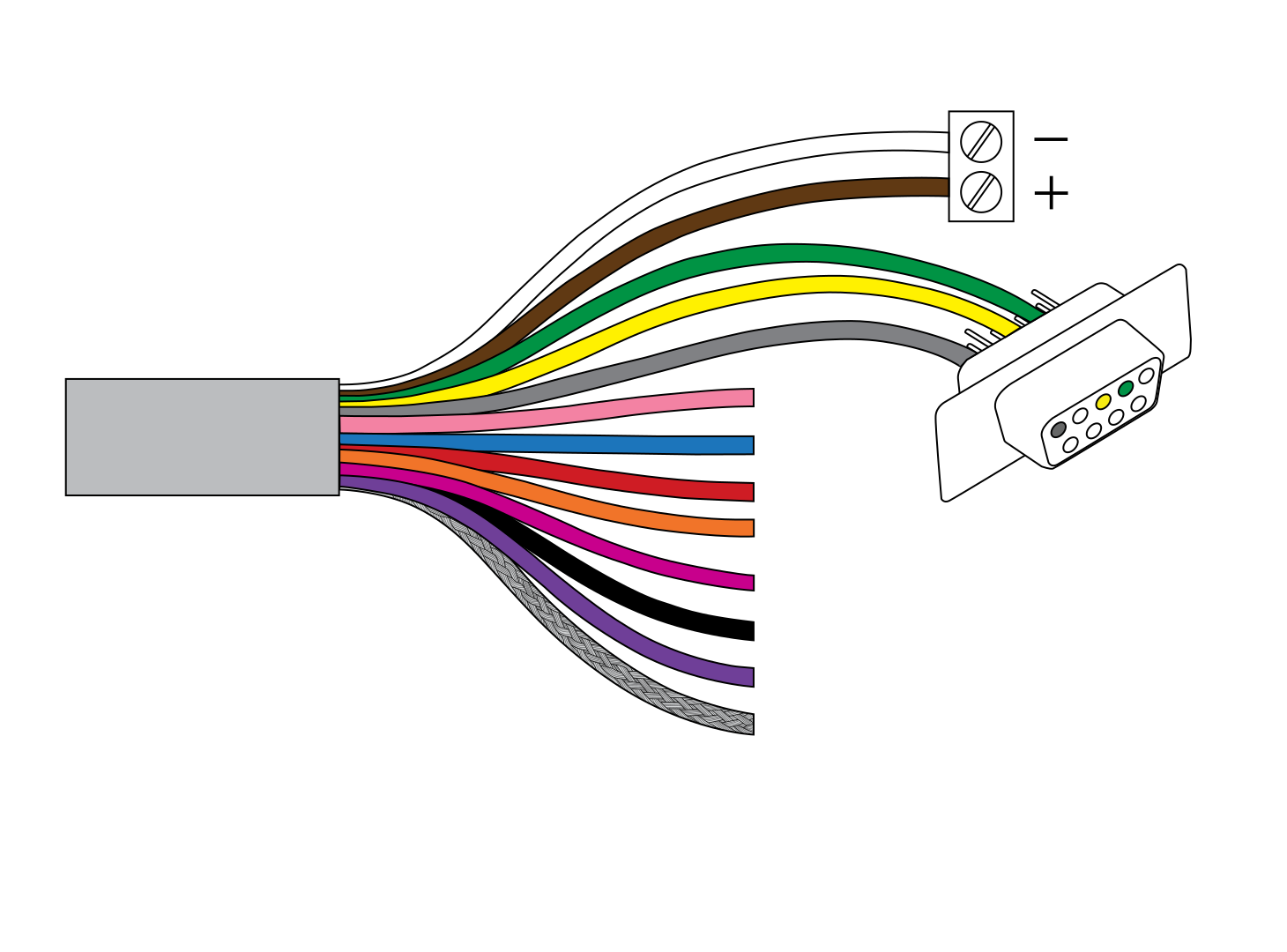
Green wire - RS-232 TxD → DB-9 pin 2
Yellow wire - RS-232 RxD → DB-9 pin 3
Grey wire - Signal GND → DB-9 pin 5
Connection of the signal ground (GND) is required for proper operation of the serial interface.
For computers without a native RS-232 port, Geolux recommends using the Waveshare USB to RS232/485/TTL converter: https://www.waveshare.com/catalog/product/view/id/3629/s/usb-to-rs232-485-ttl/category/37/
Serial RS-232 interface is used for direct connection of a single surface velocity radar unit with the computer. The serial interface is used both for retrieving live flow measurements and for configuration of the surface velocity radar device. Geolux provides a PC application for unit configuration and flow monitoring free of charge. Default communication parameters are:
Bitrate: 115200 bpsData bits: 8Stop bits: 1Parity: None
A NMEA-like communication protocol is used to deliver flow measurements over RS-232 interface. Detailed description of the protocol is given in 5.1. NMEA Protocol (RS-232).