2.2. Serial RS-485 Interface#
The instrument includes a standard industrial half-duplex RS-485 communication interface. The interface is internally protected against short circuits and overvoltage.
The RS-485 interface is connected using two wires:
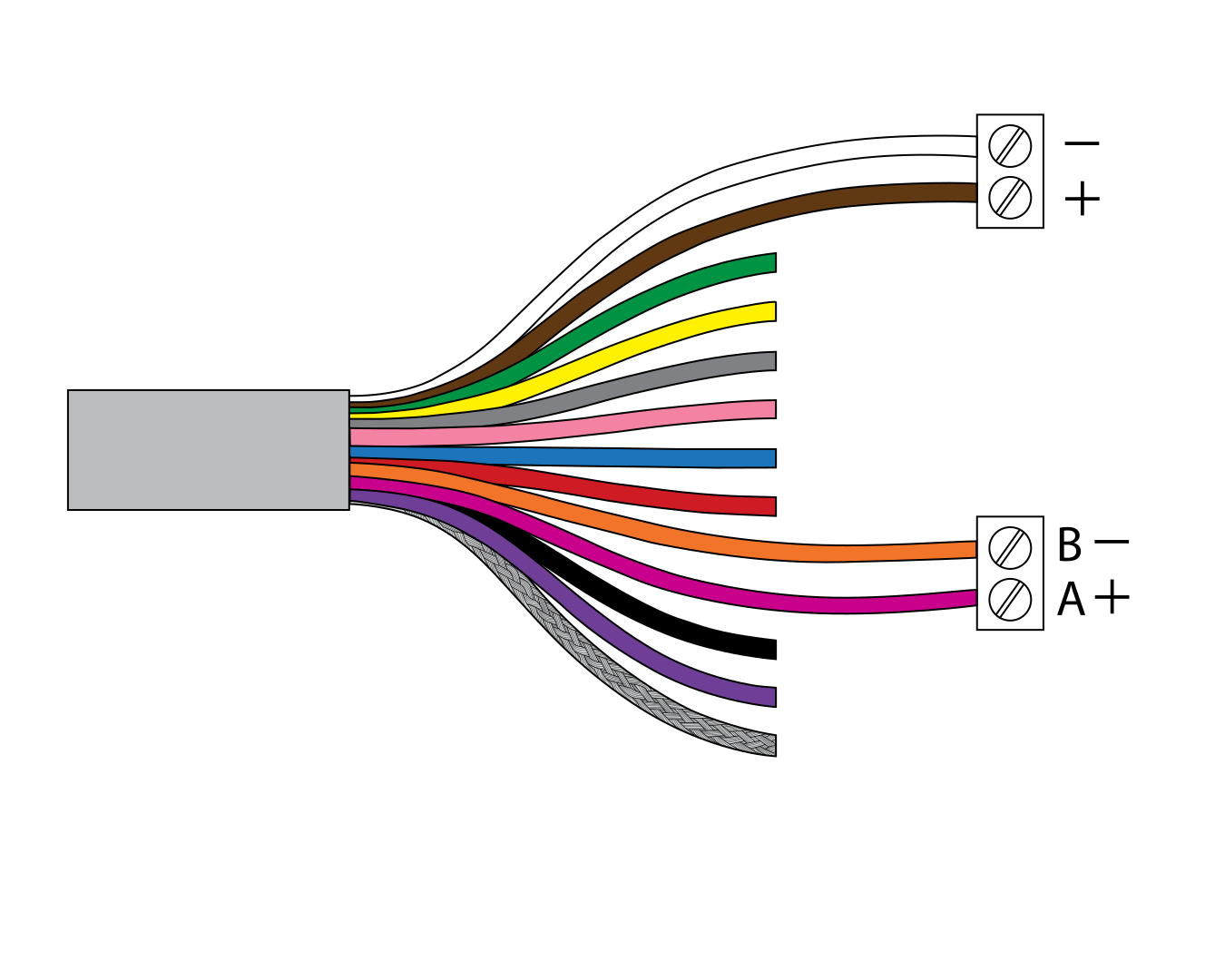
Dark red wire - RS-485 A+ signal
Orange wire - RS-485 B- signal
Important: Carefully identify the dark red wire used for A+. The cable also contains a bright red wire and a pink wire, which serve different functions. Ensure the correct wire is selected before making the connection.
In some installations, an additional connection of signal GND (grey wire) may be required. The need for a ground connection depends on the receiving device. Always consult the receiver or data logger specification to confirm the correct wiring.
Serial RS-485 interface is used for connecting multiple surface velocity radars to a single data logger. RS-485 interface uses a different protocol than the protocol used over RS-232 interface, in order to allow multiple surface velocity radars connected on a single RS-485 bus. The main difference from the protocol used over RS-232 interface is that the flow measurements are not reported automatically, but are instead reported only after being requested by the master device (data logger unit). Geolux VX60 uses industry-standard Modbus protocol for data exchange over RS-485 interface. The detailed description of the protocol is given in 5.3. Modbus Protocol (RS-485).
Default communication parameters are:
Bitrate: 9600 bpsData bits: 8Stop bits: 1Parity: EvenDevice ID: 1