6.2. Device Configuration#
Clicking the Settings button opens the configuration interface, where the user can adjust operating parameters or upgrade the device firmware.
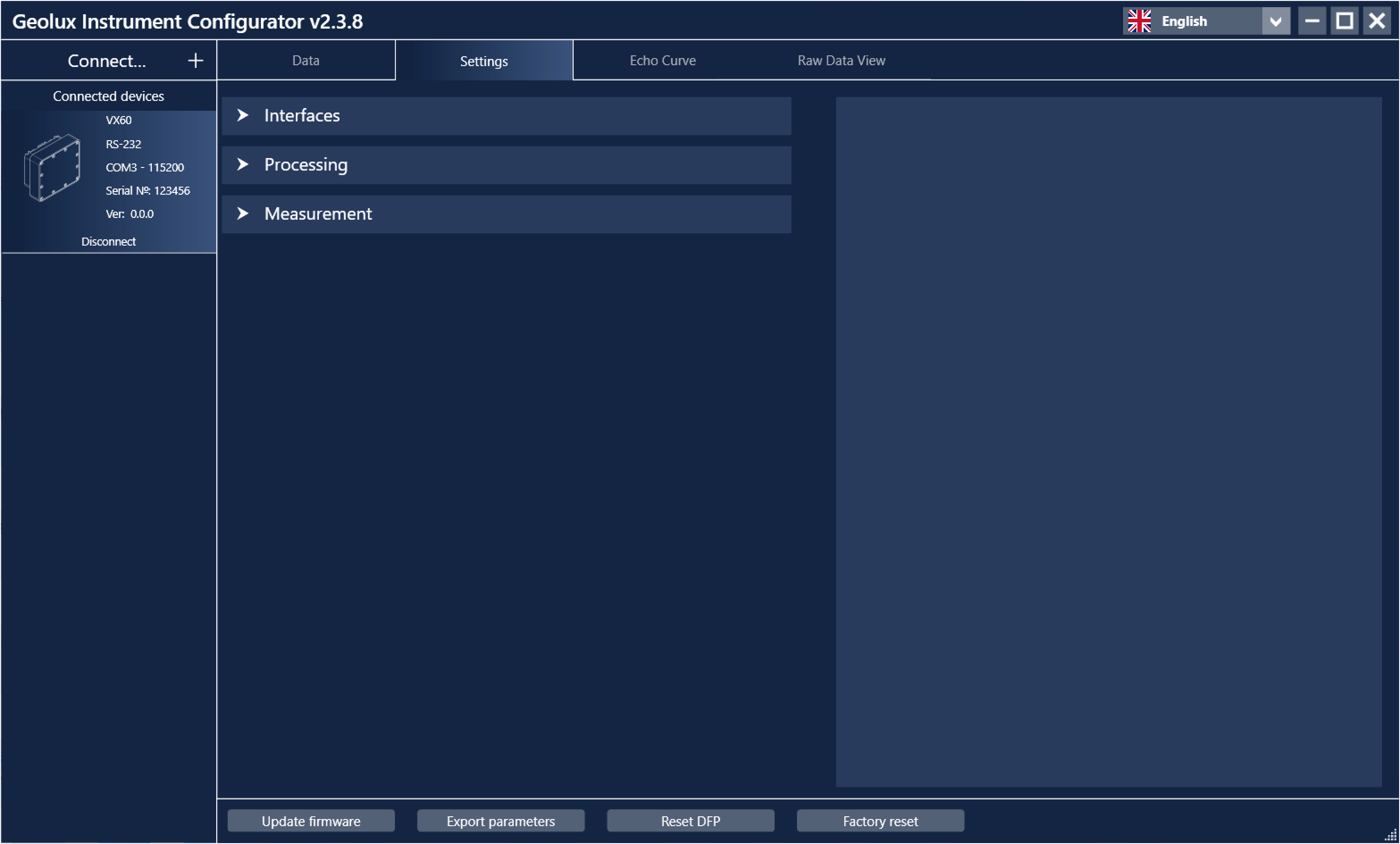
Settings page for VX60 surface velocity radar.#
Settings are organized into three groups: Interfaces, Processing and Measurements. Selecting a group displays all associated settings.
When a setting is selected or modified, a detailed description is displayed on the right side of the window. Detailed descriptions of all parameters are also given in 4. Surface Velocity Radar Settings. After changing a parameter, a Set button appears next to the modified field. Clicking Set confirms and saves the new value to the device.
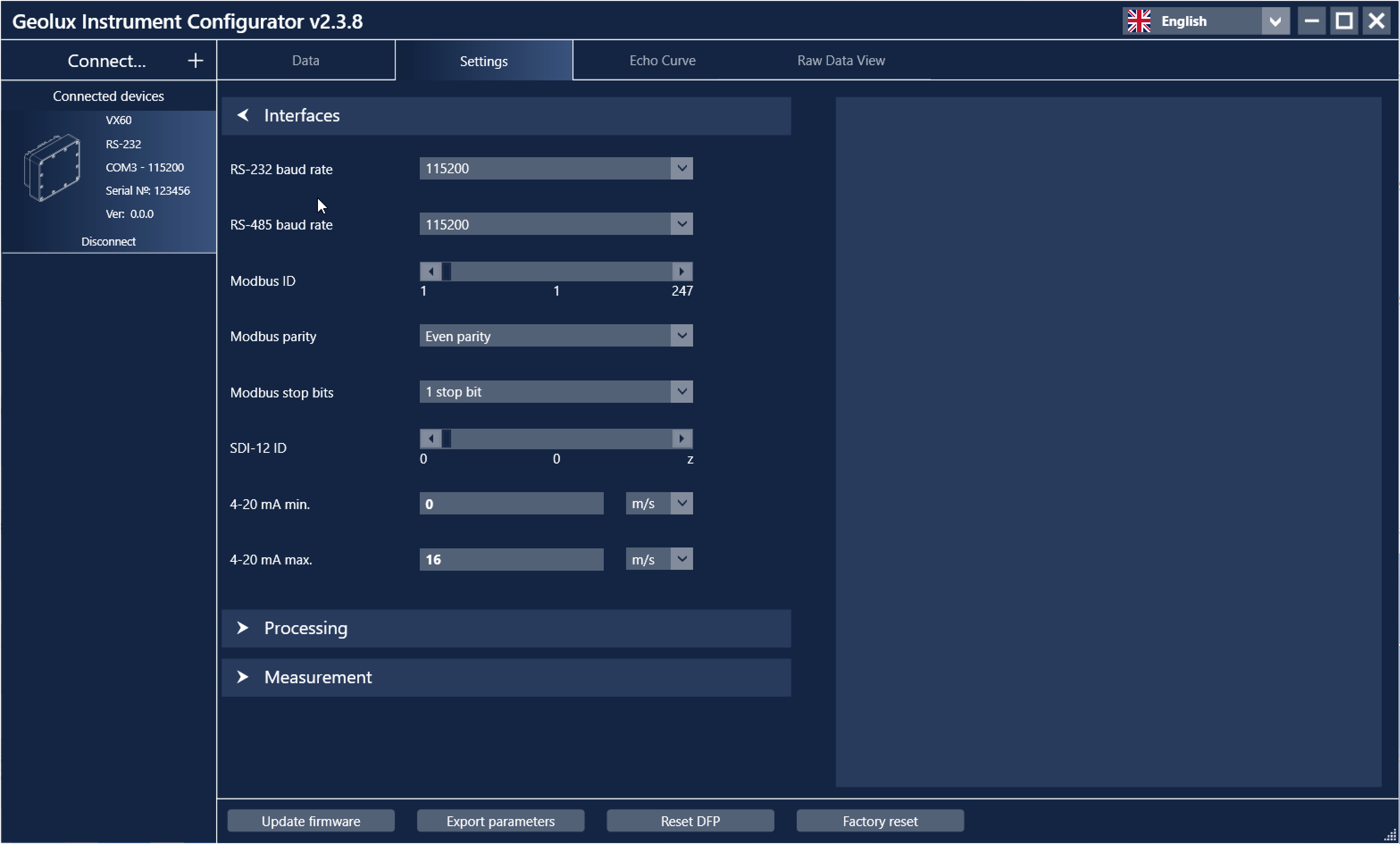
Interface settings.#
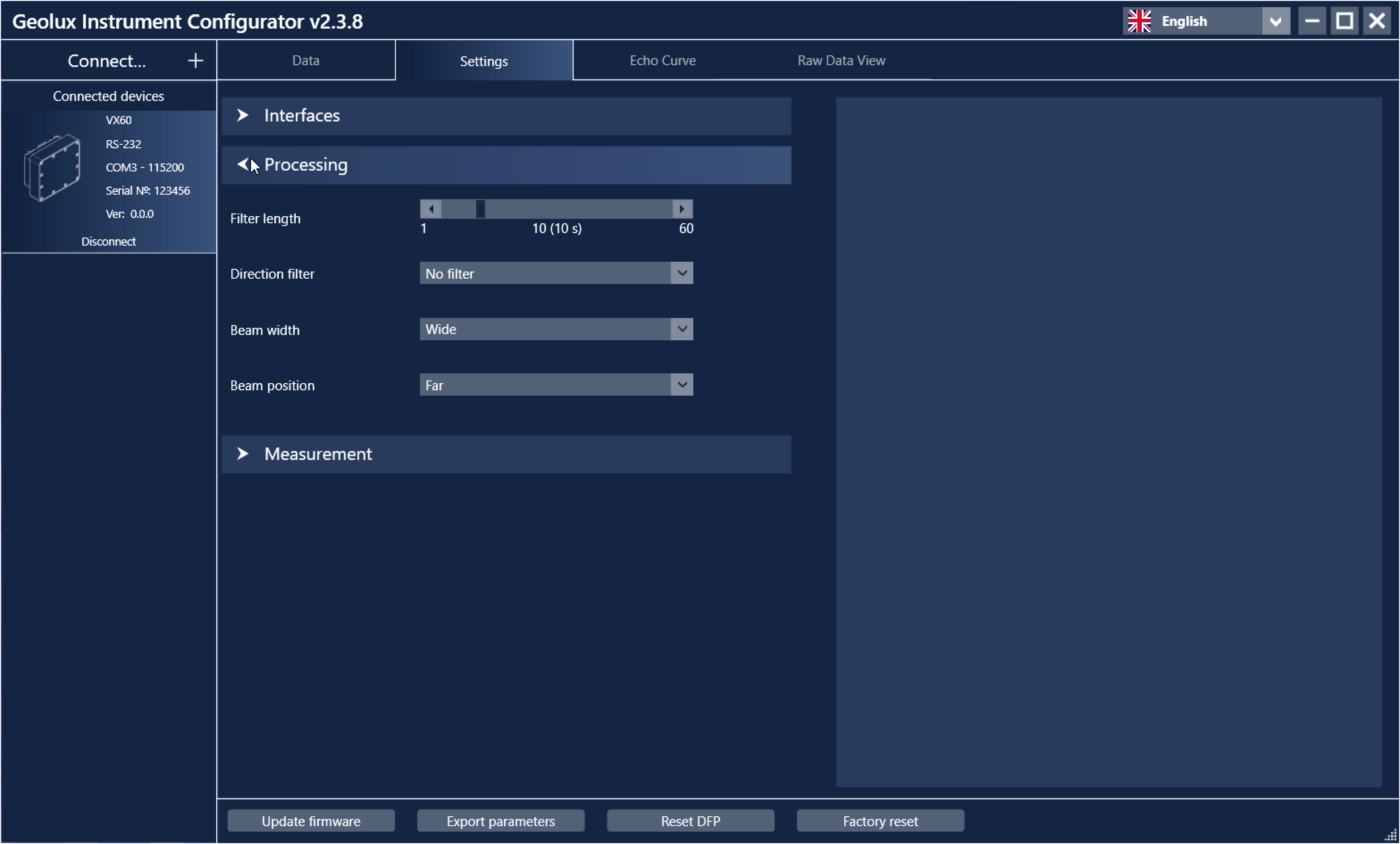
Data processing settings.#
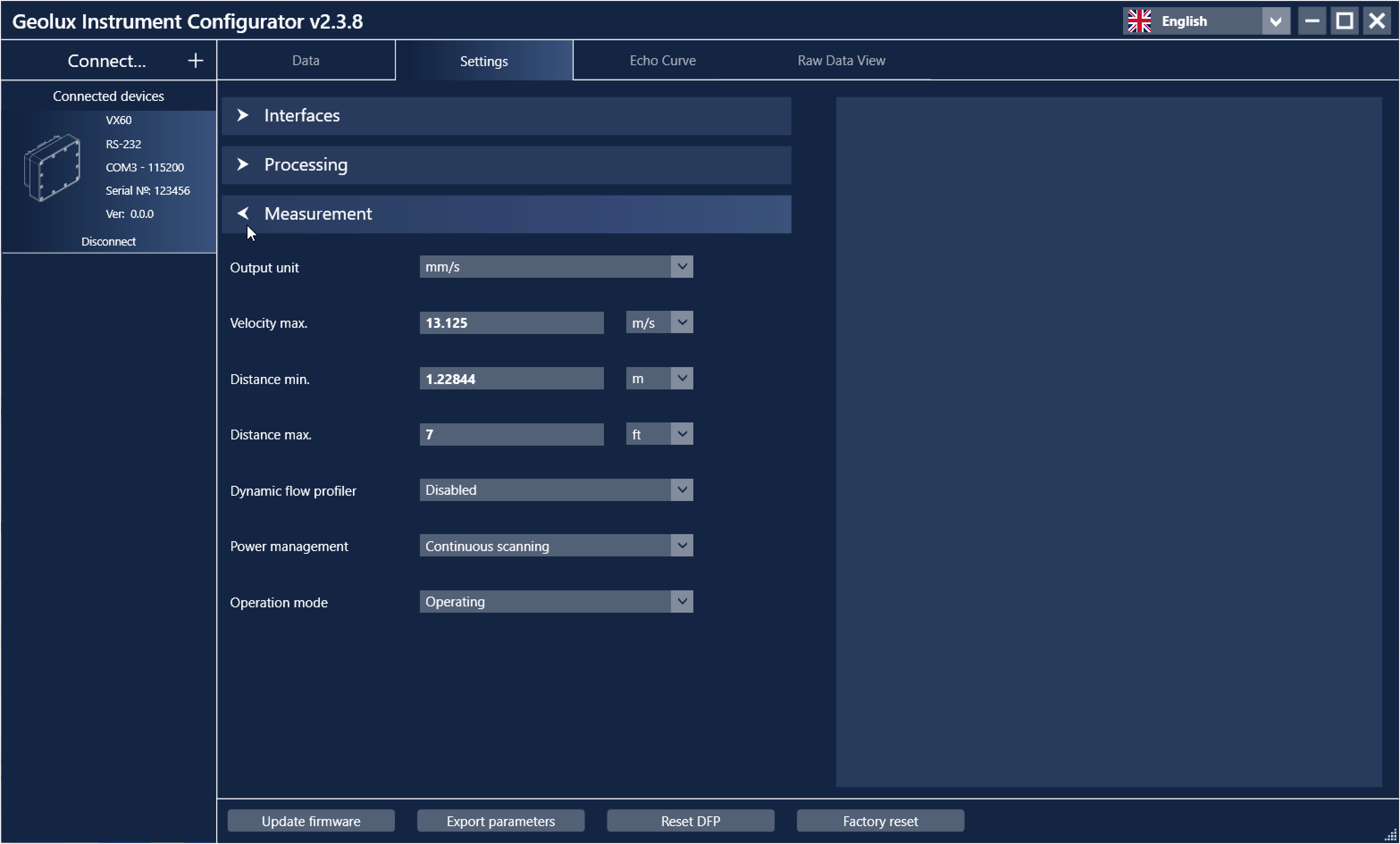
Measurement settings.#
Additional functions available in the Settings tab include:
Update firmware – Updates the device firmware to a newer version.
Export parameters – Saves all device parameters to a text file for review.
Reset DFP – Clears all accumulated DFP history data.
Factory reset – Restores all parameters to their default values.